
A native LDAP browser for Mac.
Browse directory trees, build searches, inspect schema, and edit entries. Works with LDAP, LDAPS, StartTLS, and PingDirectory REST.
 Requires macOS 26 or later on Apple silicon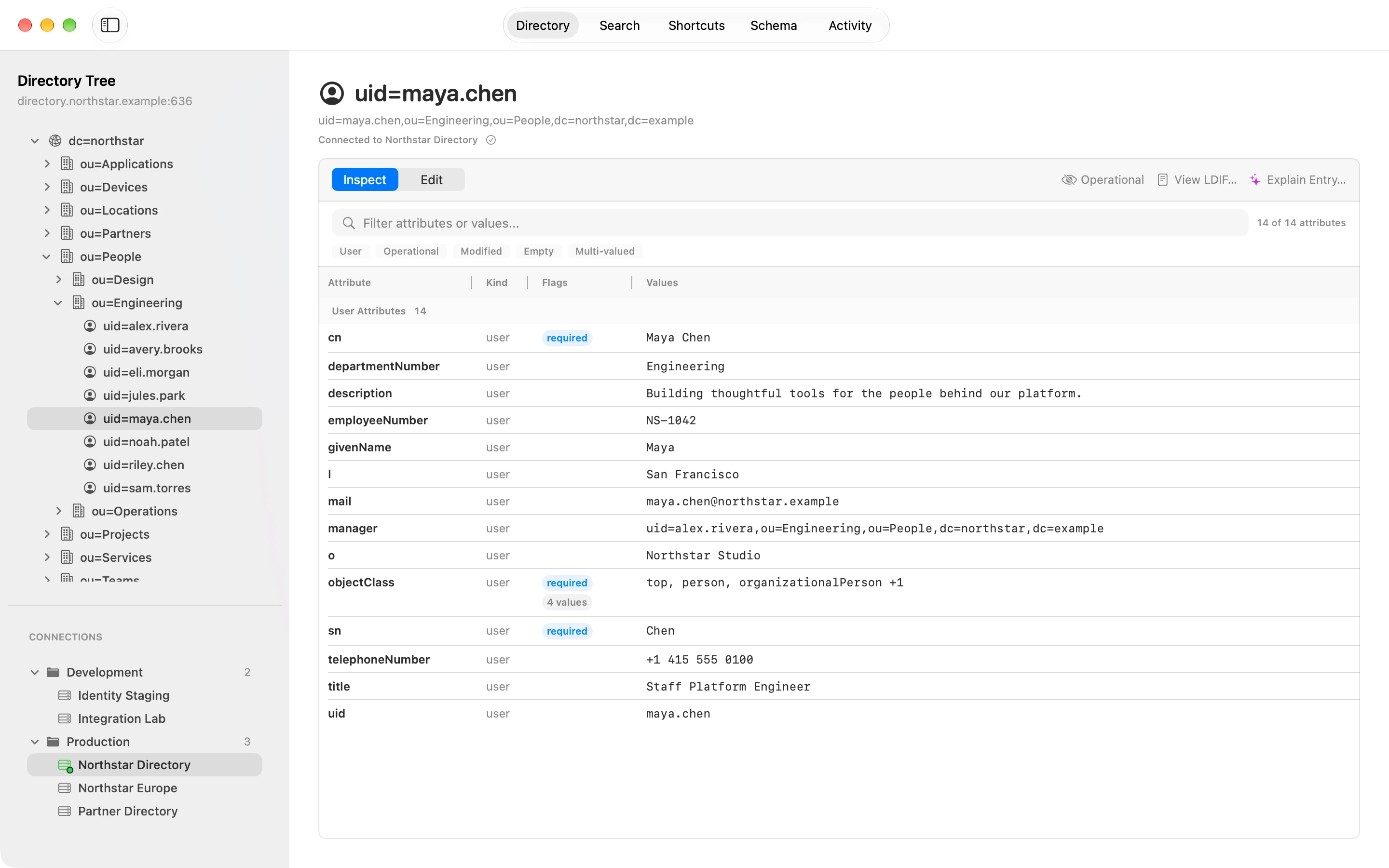
Directory Browse the tree and inspect an entry’s attributes.
Everything you reach for in a directory, in one window.
Marten is a native Mac app. It follows your light or dark appearance, and your connections, bookmarks, and saved searches show up in Spotlight.
Browse and edit
Move through the directory tree, inspect every attribute, and preview your changes before they’re saved.
Search and schema
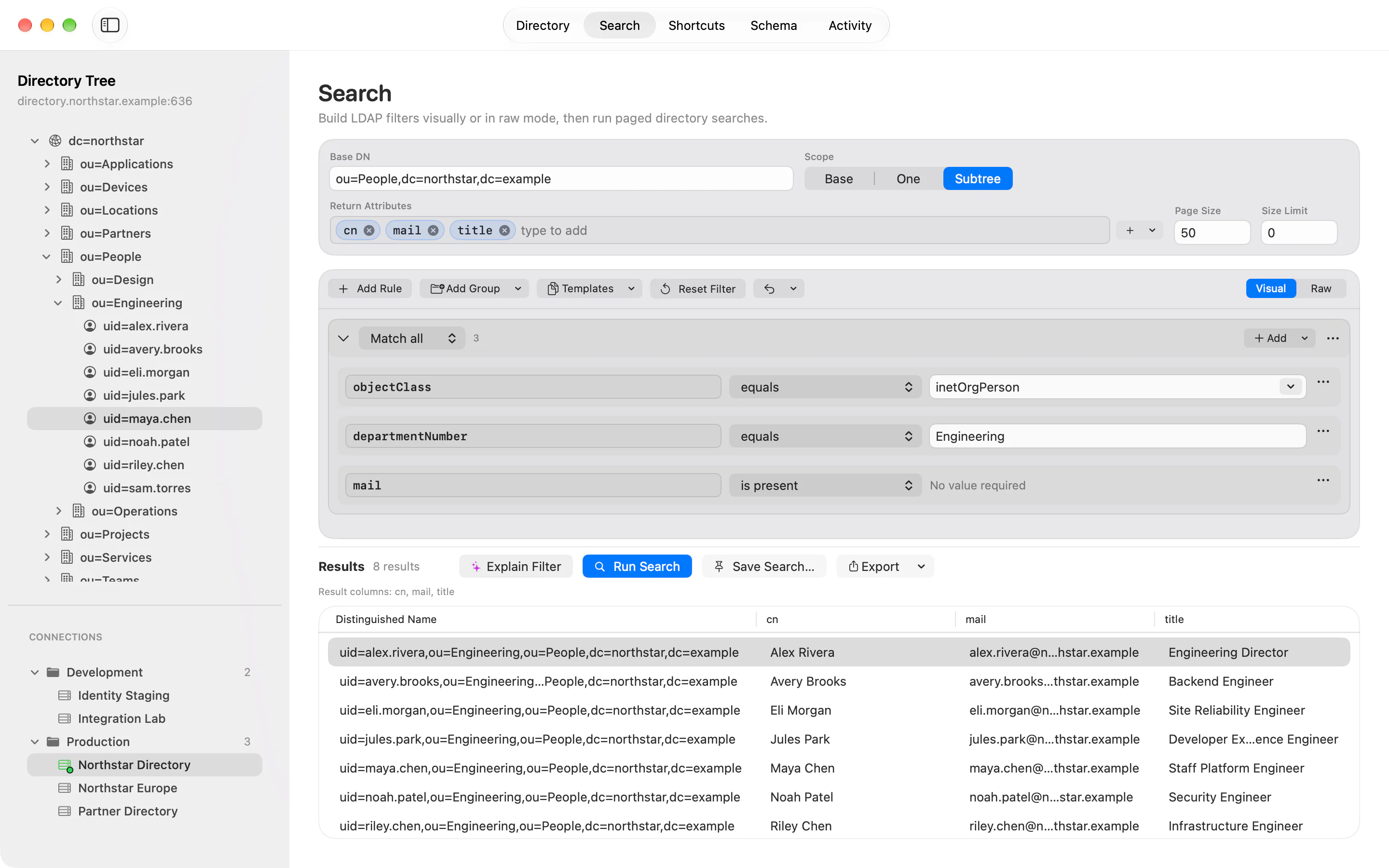
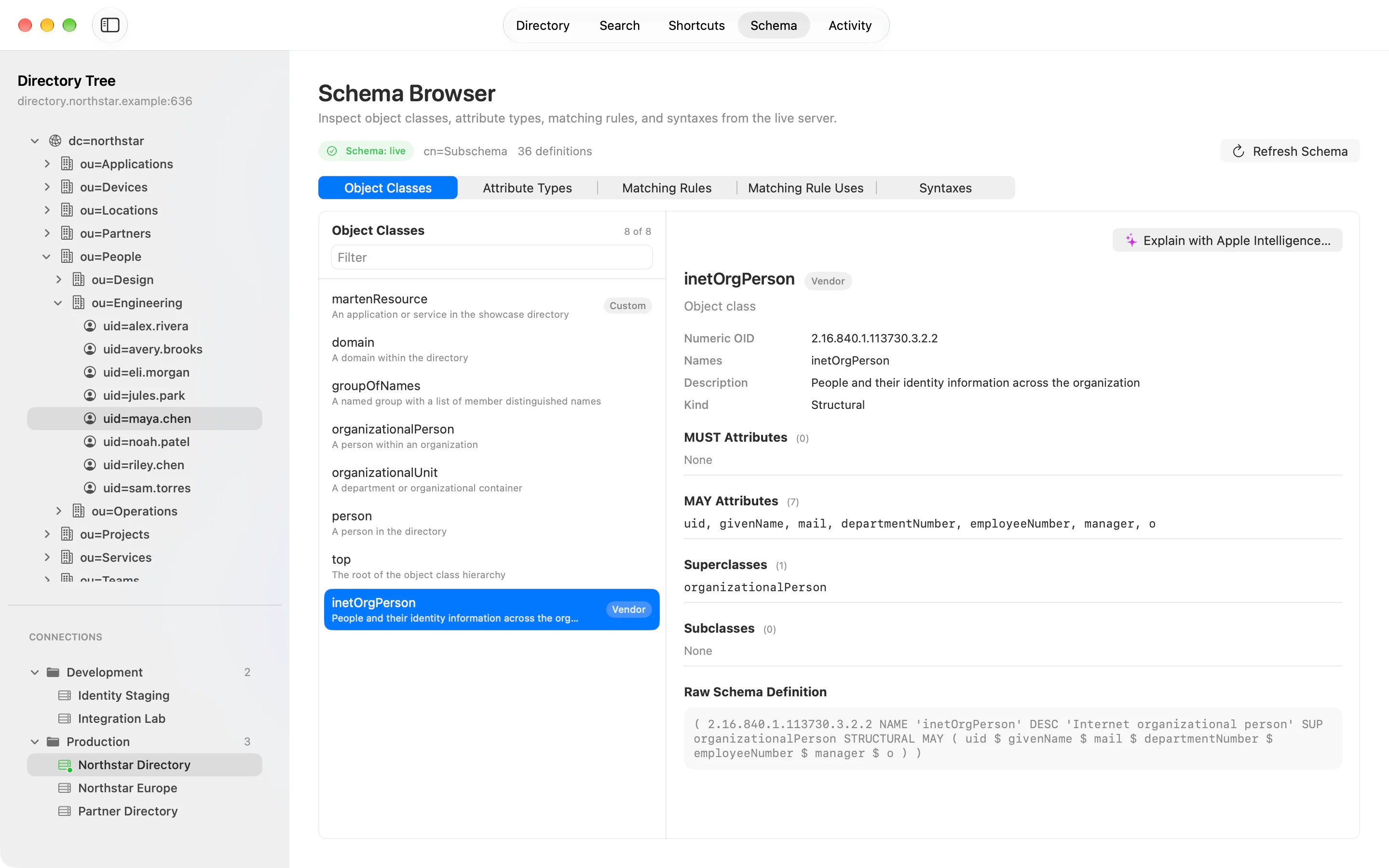
Run paged searches, build nested filters visually and check the raw LDAP, and look up live schema as you go.
Saved places
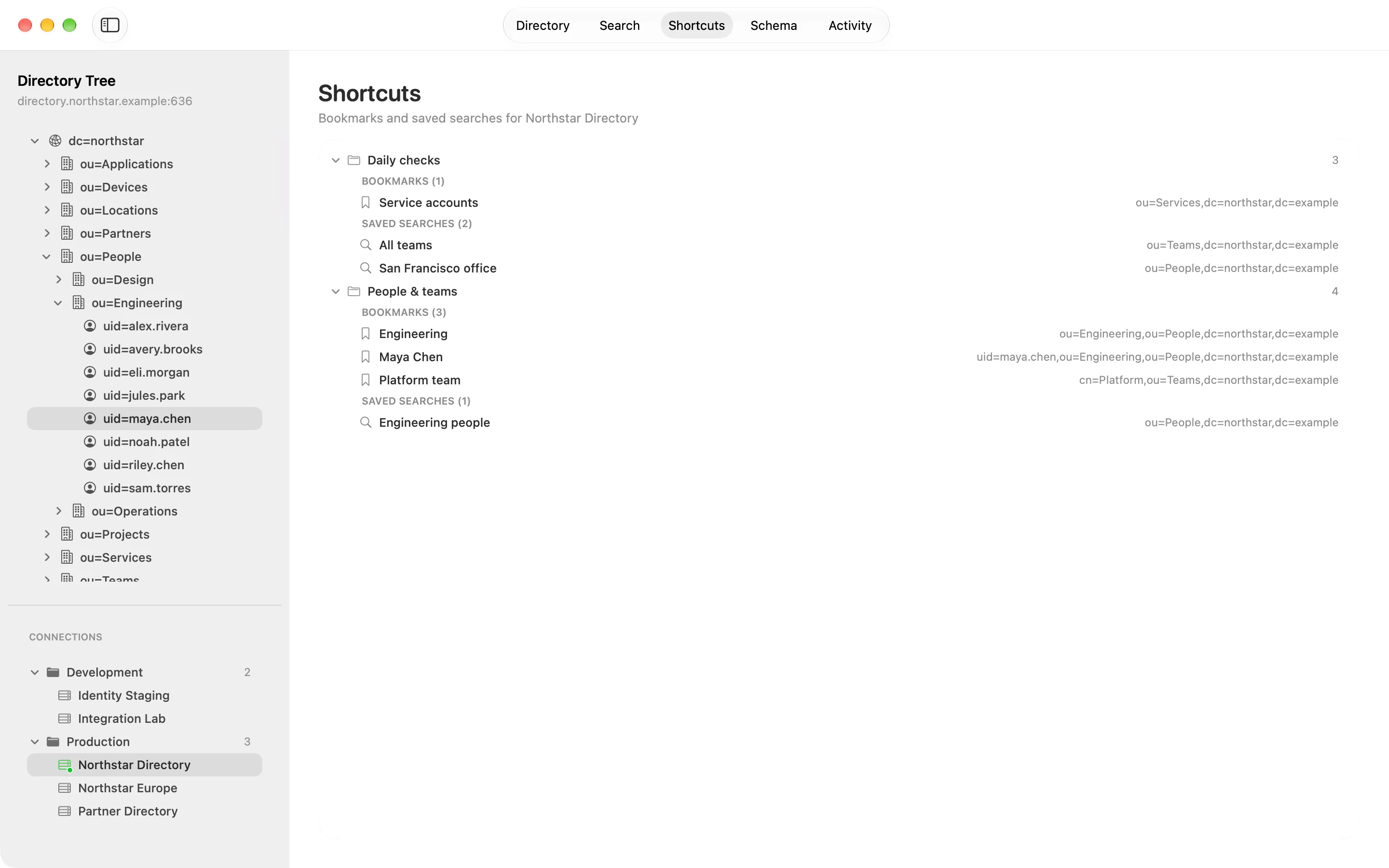
Keep connections, bookmarks, and saved searches in folders. Pick up where you left off.
Import and export
Bring in Apache Directory Studio connections, review LDIF before applying it, export results as LDIF or CSV, and share or print an entry.
Ask Marten
With Apple Intelligence, describe a read-only search in plain words. Only your request text goes to Apple’s Private Cloud Compute, and only once you allow it. Marten builds the filter on your Mac from the loaded schema and shows you the plan before anything runs. Ask Marten requires macOS 27.
Visual filters
Build nested filters from rules in Match all and Match any groups, then switch to Raw to read or edit the exact LDAP filter.
On-device explanations
Apple Intelligence can explain an entry, a filter, or a schema definition on your Mac. Each statement cites the attributes it’s based on, and credentials and binary values are left out.
Linked schema
Every superclass, attribute type, and syntax in the Schema Browser is a link, with Back and Forward to retrace your steps.
Spotlight and Shortcuts
Connections, bookmarks, and saved searches show up in Spotlight, which indexes only their names. Siri and Shortcuts can open a bookmark or run a saved search.
Windows and tabs
Open several independent workspace windows, or merge them into tabs. Marten restores your windows when you relaunch, but doesn’t reconnect until you ask.
Conflict-protected saves
If someone changes an entry on the server while you’re editing it, Marten stops the save and shows both versions, so you choose which values to keep.
Drag to Finder
Drag an entry from the directory tree or your search results to Finder, and Marten saves it there as an LDIF file with all of its user attributes.
Exact values
Edit Values… shows an attribute as Text, Base64, or Hexadecimal, so binary data and stray whitespace are never a guess. Photos appear as thumbnails.
Rename or move
Change an entry’s RDN or its parent, and Marten previews the target DN as you type, so you know whether you’re renaming it in place or moving it.
Certificate review
When macOS doesn’t trust a server’s certificate, Marten shows its SHA-256 fingerprint to compare. Trust that exact certificate until Marten quits, or always for that connection.
Open from Finder
Open ldap:// links, LDIF files, and Apache Directory Studio files from Finder or another app. Marten asks where each one goes and connects only after you click Open.
Text size
View › Bigger Text and Smaller Text scale everything in a window, sidebars included. Each window keeps its own size.
Undo for saved places
Edit › Undo reverses changes to connections, folders, bookmarks, and saved searches, like a bookmark you removed by mistake.
Watch a few everyday tasks.
Two short, silent screen recordings of Marten working with a fictional directory. Each has a written walkthrough, too.
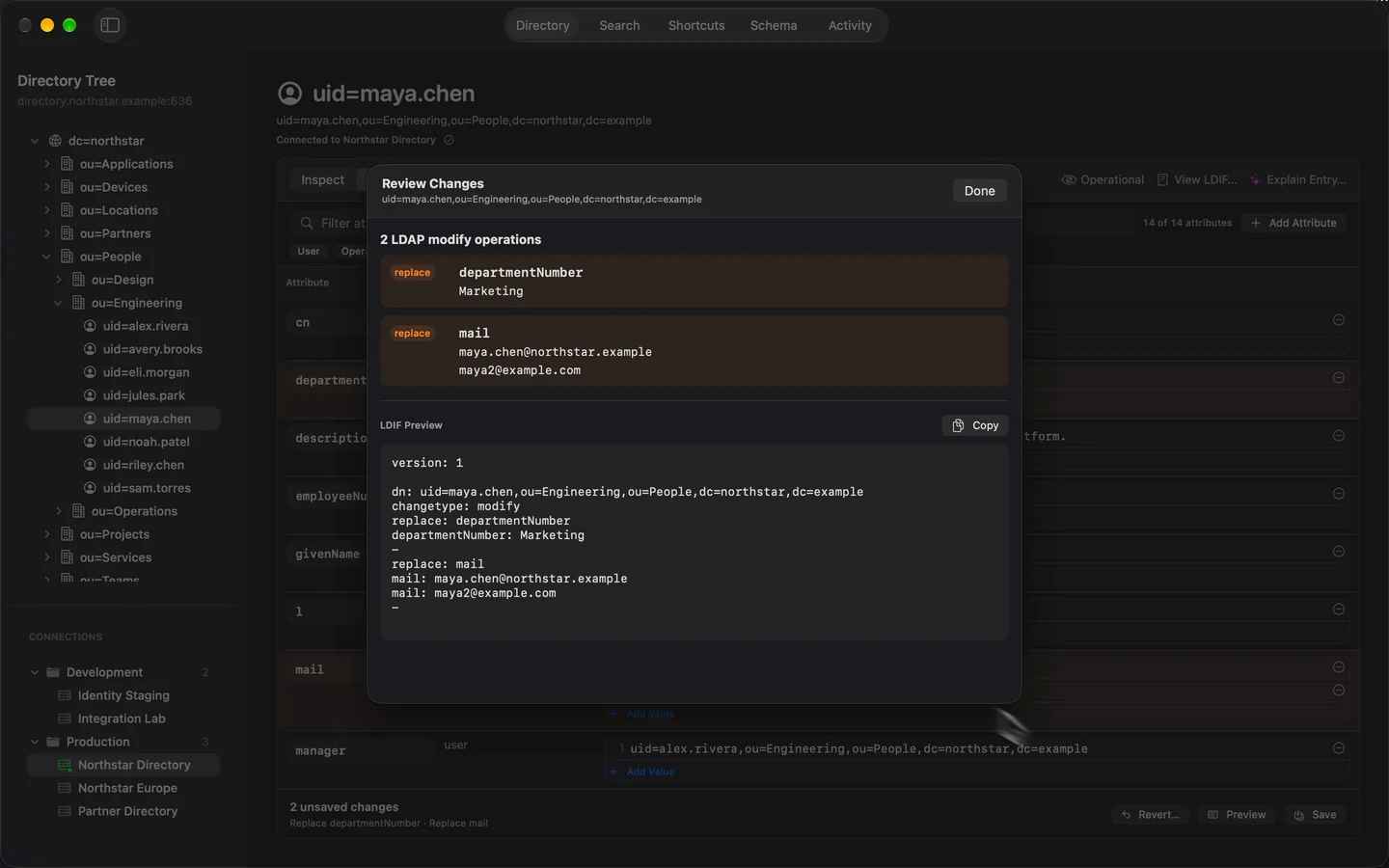
Edit an entry and review the changes
Edit attributes, preview your changes, and explore an entry’s LDIF and generated explanation.
Read the walkthrough
- Open Maya Chen’s entry and choose Edit.
- Change departmentNumber from Engineering to Marketing, then add maya2@example.com as a second mail value.
- Open Preview to review both attribute replacements, then choose Done and Save.
- Return to Inspect and show the operational attributes.
- Open View LDIF to inspect and copy the entry’s raw directory data.
- Choose Explain Entry to read the generated explanation, then return to the entry.
Your directory stays between your Mac and your servers.
- Connects directly to the servers you choose
- Keeps credentials in your Mac’s Keychain
- No accounts, ads, analytics, or tracking SDKs